Tools

Practical apps and tools to support focus, productivity and cognition.
Apps for iPhone, iPad and Android
ADHD Cricket
A tiny cricket chirps at whatever interval you choose and asks one question: am I still on task? That little nudge catches your attention drifting before a whole hour disappears with it. Built on a technique proven over 25 years, by someone with ADHD for people with ADHD. No login, no subscription, free.
See the support page for full instructions of how to use the app


ADHD Pomodoro
Struggling to start? Pomodoro breaks your day into short focused bursts with proper breaks in between. The countdown keeps track of time so you don't have to and even the most dreaded task stops being scary when it's only ever 25 minutes long. Just a timer, a task and a break.
See the support page for full instructions of how to use the app
CountFlow: Habit Tracker
CountFlow is built for changing a behaviour: quitting vaping or smoking, cutting back on coffee or drinking more water. Count what you do with one tap and the app learns your real trend and sets today's target for you, whether you're cutting down or building up. One off-day won't wreck your plan. Your data never leaves your phone.
See the support page for full instructions of how to use the app

MindBell
Choose your session length, pick one of six bells and press Begin. MindBell marks each phase of your meditation with a soft bell, offers a candle flame to gaze at and uses sleep-safe colours so an evening session won't mess with your body clock.
See the support page for full instructions of how to use the app

Busted! (Fine Jar)
The swear jar has gone digital. Set the rules with your family, team or workmates, fine each other for breaking them and watch the live scoreboard settle who owes what. This one isn't strictly an ADHD tool. It's a bit of fun I built for my own family, where it keeps us honest about our chores and feeds the New House fund. Not about the money. It's about being held to account, with a laugh.
See the support page for full instructions of how to use the app
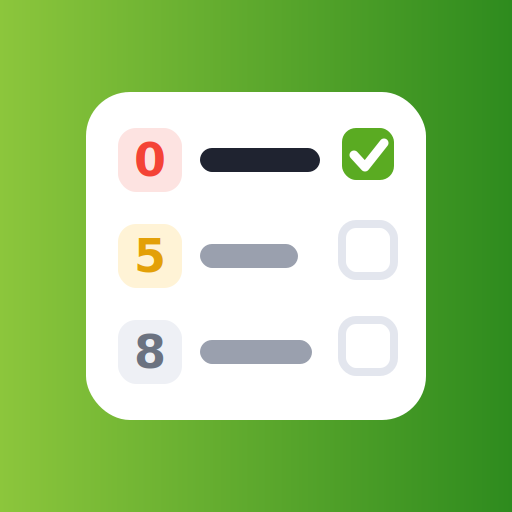
Priority Zero: To-Do List
Priority Zero is my to-do list for brains that hate to-do lists. Every task gets a single number from 0 (do it now) to 9 (fine if it never happens) and that number sorts the list and sets its due date for you. Type 'call the bank by Friday' and the date fills itself in. There's even a cricket that nags you about the one task you keep dodging. Best of all it runs in your browser: if your work computer is locked down and can't install apps you can log in through my website and your list stays perfectly in sync with your phone.
See the support page for full instructions of how to use the app
Apple, the Apple logo and App Store are trademarks of Apple Inc. Google Play and the Google Play logo are trademarks of Google LLC.
Free web tools

Cognitive Testing Battery
A free suite of browser-based tests covering memory, attention, executive function and processing speed. The same kinds of tests used in neuropsychology research, simplified for self-administration. No login, no data collected. Run the full battery monthly to track your cognitive health over time, or use individual tests to measure the real-world effect of ADHD medication.

ADHD Job Hunting
Adults with ADHD earn around 17 percent less each year than people without it and reach retirement with up to 75% lower net worth. A big chunk of that gap starts with the application process itself, which feels designed for a brain that does not work the way ours does. This tool automates the whole thing and teases the information out of you.
If this was useful, you can support my work on Ko-fi.